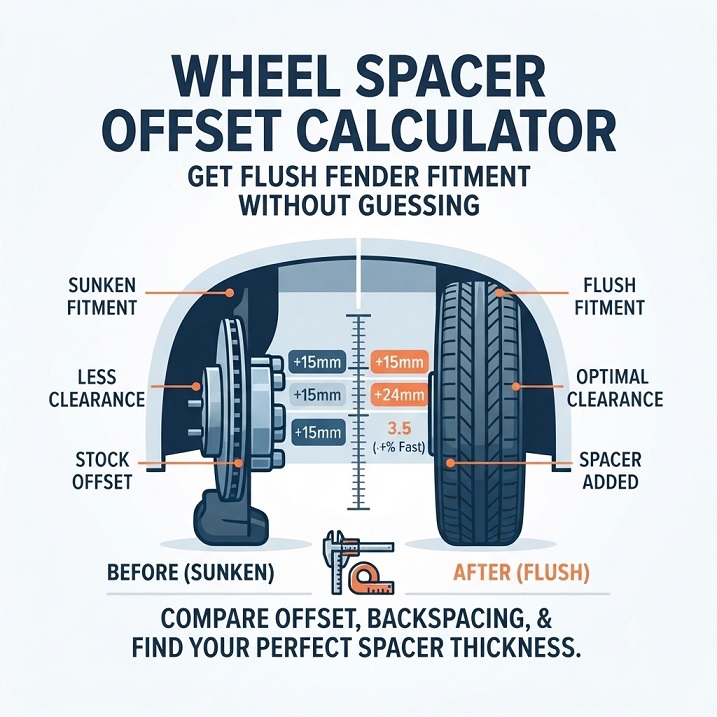
Wheel Spacer Offset Calculator – Get Flush Fender Fitment Without Guessing
This wheel spacer offset calculator is something I built for my own Mustang, and it turned out to be far more useful than I expected.
Why I Needed It
Where I live, in South Korea, a wheel or tire that sticks out past the fender can mean a fine or a failed inspection. At the same time, a wheel that sits tucked deep inside the fender looks terrible to me. The goal is to land right on the fender line: not past it, and not hiding behind it.
When I was fitting wheel spacers to the rear of my Mustang, I used to measure the gap with a ruler and make a guess. That never felt accurate, and one wrong guess means buying the wrong spacer thickness. So I put the math into a calculator instead.
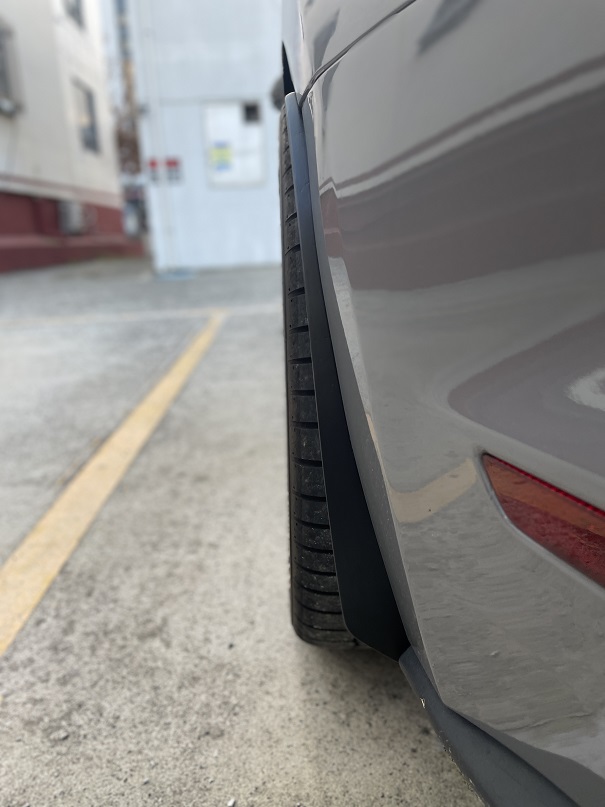
My Mustang S550 With the Rear Spacers Fitted
Here’s the rear of my Mustang S550 after fitting the wheel spacers.
It sits right on the fender line

What the Calculator Does
Enter your current wheel width (in J) and offset (ET), then the same two numbers for the setup you’re considering. It draws a cross-section of each wheel and shows a table with the backspacing and the outer distance for both, so you can see exactly how far the wheel moves.
The Calculator
Existing Offset Section
New Offset Section
| Category | Rim Width | Offset | Backspacing (IN) | Front Clearance (OUT) |
|---|---|---|---|---|
| Existing | – | – | – | – |
| New | – | – | – | – |
How to Use It With a Wheel Spacer
A wheel spacer sits between the hub and the wheel and pushes the wheel outward by exactly its thickness. In terms of fitment, that’s the same as lowering the wheel’s offset by that amount:
Effective offset = wheel offset − spacer thickness
For example, an ET45 wheel with a 15 mm spacer behaves like an ET30 wheel. To check a spacer setup in the calculator, put your current wheel in the “Existing” row. In the “New” row, keep the same width and enter your offset minus the spacer thickness.
How to Read the Results
- Backspacing (IN): the distance from the mounting face to the inner edge of the wheel. This is the side that faces the suspension and brakes.
- Front Clearance (OUT): the distance from the mounting face to the outer edge of the wheel.
- The change that matters: compare the OUT value in the Existing row to the New row. That difference is how far the outer edge of the wheel moves toward (or past) the fender.
One caution: the calculator measures the wheel’s edge, but the tire sidewall can bulge slightly past the wheel lip. When you’re aiming for a flush look, check the widest point of the tire against the fender, not just the wheel. The tool also uses the standard simplified geometry (half the width, plus or minus the offset), so real-world backspacing can differ by a few millimeters because of the rim flange. Treat the numbers as a close estimate and confirm with a physical check before you commit.
A Few Notes on Spacer Safety
- Use hub-centric spacers, so the wheel stays centered on the hub instead of relying only on the lug nuts to center it.
- Spacers usually need longer wheel studs or bolts, so make sure you have enough thread engagement.
- Many builders get cautious about very thick spacers on a daily driver, since they add extra stress to the studs.
- Rules about wheels and tires extending past the fender vary by country, so check your local regulations.
This calculator is a planning tool. It doesn’t replace checking real-world clearance, rubbing, and proper torque on the car.
If you’re working on your car this weekend, you can also browse the free vector decal templates on this site.
👉 Custom Tire Lettering Simulator
※ LICENSE & TERMS OF USE
- Personal Use Only: This vector file is provided strictly for personal DIY projects and non-commercial purposes.
- Modification Allowed: You are free to edit, resize, or modify this file for your own personal use.
- No Commercial Sale: Mass production, selling physical items made with this file, or any commercial exploitation is strictly prohibited.
- No Redistribution: You may not re-upload, share, or resell the digital files (SVG/AI) on any other platform.
DISCLAIMER
This file is provided "AS IS" without warranties of any kind. DVG (Detail Vector Garage) assumes no responsibility or liability for any trademark, copyright, or legal issues arising from the use of this file.