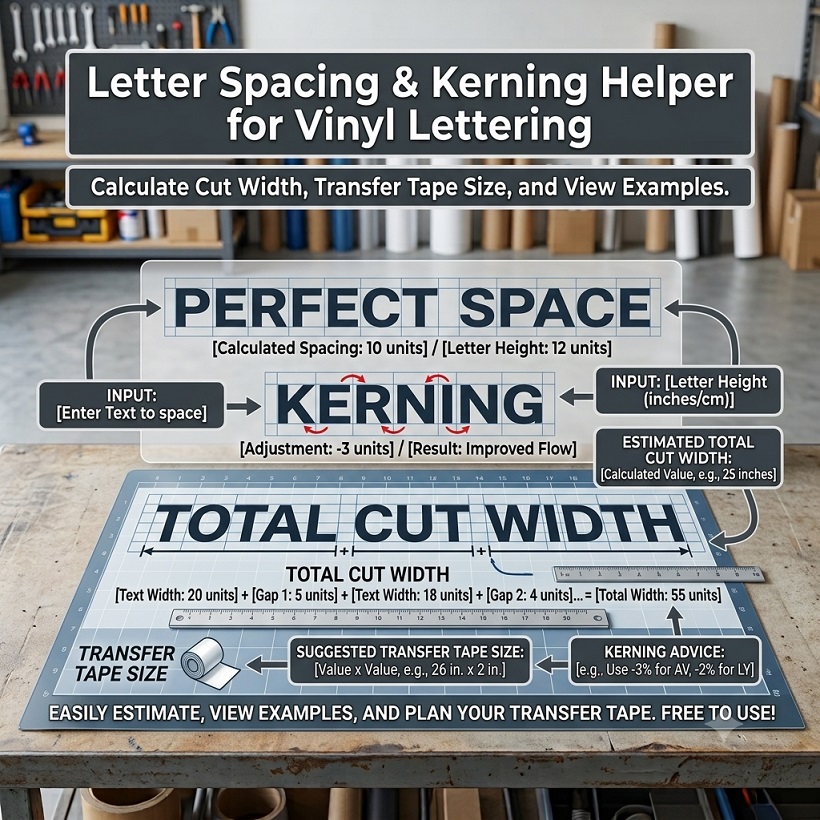
We make and sell vinyl decals, and letter spacing is one of the first things that decides whether lettering looks clean or cramped.
Tight gaps merge when you weed, loose gaps make a word fall apart, and a few small changes can fix both. This page explains the basics in plain language, then gives you a helper that estimates the width of a word before you cut.
Tracking vs Kerning: Letter Spacing for Vinyl Lettering in Plain Words
Two terms come up in almost every conversation about lettering. Tracking is the same extra gap added between every letter in a word. Kerning is a hand adjustment of one specific pair of letters, usually because that pair looks too far apart or too close together.
Pairs with open space around them, such as A next to V or T next to A, often look too loose until they are tightened. Pairs of straight letters side by side, such as H and N, usually look fine and sometimes need a little extra room. In short, tracking sets the overall rhythm and kerning fixes the exceptions. Most design programs let you adjust both, and the helper below deals with the tracking side.
Most typography advice about letter spacing comes down to one idea: the white space between letters should look even, even when the measured gaps are not equal.
Font Spacing Changes From One Typeface to Another
Every font ships with its own built-in font spacing, and it is not the same from one typeface to the next. A condensed block font is packed tightly, a wide display font is airy, and a script font is drawn so the letters connect. Adding extra tracking to a script can break those connections, so it is usually best to leave script lettering alone.
Weight changes how the gaps look, so judge by eye rather than by a fixed rule. Because of all this, any spacing number you read online is only a starting point. Check the font you are actually using.
Vinyl Car Lettering: Where Tight Spacing Goes Wrong
On a screen, two letters can almost touch and still look fine. On a cutting machine, a very narrow gap leaves a thin sliver of vinyl between the letters that is hard to weed, and cut lines that sit too close together can make small parts lift or tear. A little extra room makes both cutting and weeding easier.
Two habits help with car lettering in general:
- Give all-capital words a bit more room. Capitals usually look better with slightly more tracking than lowercase text.
- Think about the viewing distance. Lettering read from across a parking lot usually needs more open spacing than lettering read up close.
Car Window Lettering: A Few Extra Things to Check
Glass changes how lettering looks, so a few extra checks are worth the time:
- View it from the right place. Windows are usually curved, so look at the word from the position where people will actually see it.
- Think about what is behind the glass. Seats, headrests or a bright sky change how open the spacing appears.
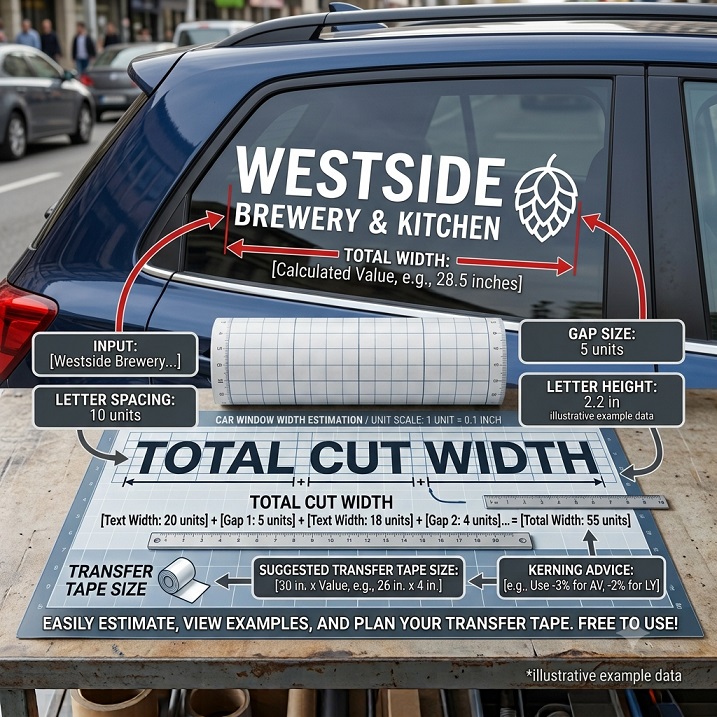
- Keep it in one piece. With car window lettering, one piece of transfer tape keeps the spacing you chose exactly the same once the word is on the glass. Our guide to applying vinyl decals to car windows covers the steps.
How the Vinyl Lettering Spacing Helper Estimates Width
The helper gives a planning estimate, not a measurement. It assumes each letter is about 70 percent as wide as it is tall and counts a space as less than half a letter. It then adds the gap you choose between every pair of characters, and finally a margin on both ends for the transfer tape. Real fonts vary, so treat the width as a ballpark and confirm it in your design software or with a test cut.
Example: The Word CUSTOM at 3 Inches Tall
The helper below opens with these starting values: the word CUSTOM, letters 3 inches tall, a gap of 0.15 inch between letters and a 0.5 inch transfer tape margin. With those numbers the word measures about 13.35 inches wide, and the total cut width including the margin is about 14.35 inches.
Spacing adds up faster than it looks. Six letters have five gaps, so every extra tenth of an inch makes the word about half an inch wider:
| Gap between letters | Total cut width |
|---|---|
| 0.10 in | 14.10 in |
| 0.15 in | 14.35 in |
| 0.25 in | 14.85 in |
| 0.35 in | 15.35 in |
A small change in vinyl letter spacing is multiplied across a long word, so decide on the spacing before you decide how much room the word needs on the glass or on the tape.
Try the Letter Spacing Helper for Vinyl Lettering
Type your word, then set the letter height, the gap between letters and the transfer tape margin. You can switch between inches and centimeters at the top. The results are estimates for planning, not exact measurements.
- Sample text: the word or short phrase you plan to cut.
- Letter height: how tall the capital letters will be.
- Letter spacing: the gap between each pair of characters.
- Transfer tape margin: the extra padding you want around the word.
🔤 Vinyl Lettering Spacing & Kerning Helper
Calculate total cut width and letter spacing for custom vinyl decals
📌 Layout & Material Specification
- Character Count:0 chars
- Average Character Width (Est.):0 in
- Total Gaps Added:0 in
- Recommended Transfer Tape Width:0 in
This helper estimates overall text width and layout spacing based on standard proportional font metrics (approx. 0.7x character width ratio). Actual physical dimensions may vary depending on the specific font typeface (e.g., script, bold, or serif fonts) and manual kerning adjustments in your design software.
Always test cut or measure your design artboard before weeding and applying transfer tape. We assume no liability for layout misalignment or material waste resulting from this tool.
A Quick Vinyl Letter Spacing Checklist Before You Cut
Before you cut, run through these quick checks on your vinyl letter spacing:
- Test first. Cut a short word, or print the design at full size, before cutting the real thing.
- Step back. Look at the word from a few steps away, not only up close.
- Check the tricky pairs. Pairs such as A and V, T and A, or L and T are the usual suspects.
- Stay consistent. Keep the same spacing across a whole line so it reads as one piece.
- Leave weeding room. Make sure no gap is so narrow that it is hard to pick out the vinyl between letters.
What to Do Next
If you want to see lettering on a different surface, the tire lettering simulator lets you preview text on a tire. Once the spacing is settled, the vinyl roll length calculator helps you work out how much vinyl a job needs, and our list of common vinyl decal application mistakes helps you avoid ruining a finished word during install. If you would rather start from ready-made lettering, try the free hot hatch hand lettering template.
A Note on What This Article Is Based On
To keep this honest: the example numbers come straight from the helper's own calculation and its starting values. The explanations of tracking, kerning, font differences and spacing for cars and windows are general typography and decal knowledge, not a claim about any particular font, brand or machine. We have not quoted prices.
Frequently Asked Questions
1. What is the difference between kerning and letter spacing?
Letter spacing, also called tracking, adds the same gap between every letter in a word. Kerning adjusts the space between one specific pair of letters.
2. How much letter spacing should vinyl lettering have?
There is no single correct number. A common approach is to start from the font's default, add a little for all-capital or small lettering, then judge by eye from the distance people will view it. The 0.15 inch in the helper is only a starting value.
3. Does the helper work with any font?
It uses an average letter width, so the result is a rough estimate. Script, bold and condensed fonts can come out noticeably different, so confirm the real width in your design software or with a test cut.
4. Should car window lettering have extra spacing?
Often a little more room helps the word read against a busy background and makes weeding easier. Judge it from the position where the word will be seen.
5. Can I use centimeters?
Yes. Use the unit toggle at the top of the helper. The inputs are converted and the results are shown in centimeters.
👉 Vinyl Decal Pricing Calculator
※ LICENSE & TERMS OF USE
- Personal Use Only: This vector file is provided strictly for personal DIY projects and non-commercial purposes.
- Modification Allowed: You are free to edit, resize, or modify this file for your own personal use.
- No Commercial Sale: Mass production, selling physical items made with this file, or any commercial exploitation is strictly prohibited.
- No Redistribution: You may not re-upload, share, or resell the digital files (SVG/AI) on any other platform.
DISCLAIMER
This file is provided "AS IS" without warranties of any kind. DVG (Detail Vector Garage) assumes no responsibility or liability for any trademark, copyright, or legal issues arising from the use of this file.