
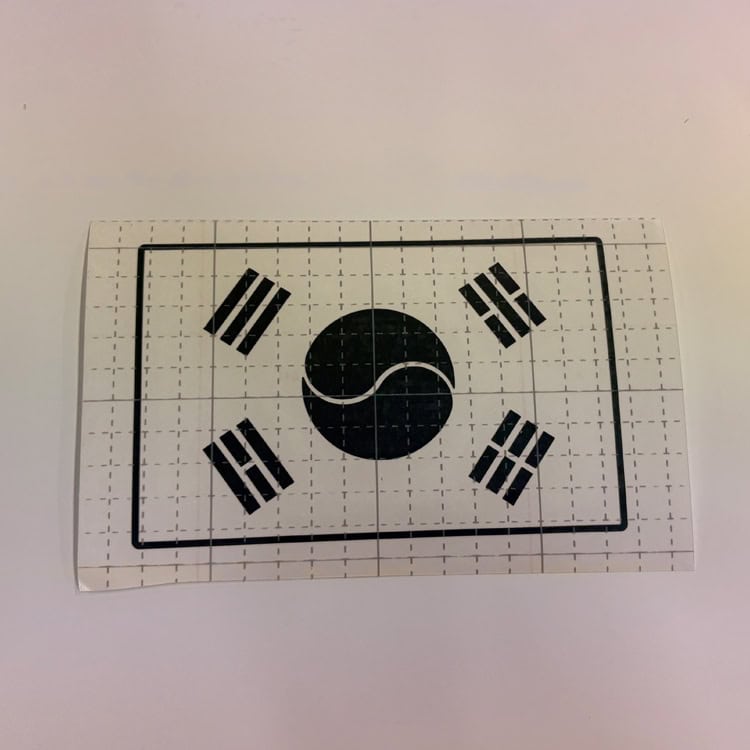
I made this Korean flag vector for a fairly simple reason.
I wanted to make a small Korean flag sticker that could be used on a car or a piece of travel luggage. Rather than drawing it as a fixed-size image, I created it as vector artwork so the size could be adjusted later depending on where it would be used.
The corners of the design are also rounded. I intentionally avoided making the corners too sharp because I wanted the finished sticker to be a little more durable and practical when used on a vehicle or luggage.
▷ Reference : American Flag Vector
How This Design Started
At the time, I was thinking about putting both the American flag and the Korean flag on my Mustang.
My idea was to place the American flag on the car and put the Korean flag underneath it. I made this Korean flag design with that kind of application in mind.
I haven’t actually put it on my Mustang yet, so this isn’t one of those designs where I’m going to tell you how great it looked on my own car.
Instead, something else happened with this design.
I made a number of small stickers, around 10 cm wide, and took them to a car meet. I gave some of them to people there, and a few people liked the design enough to ask me if I could make some more.
So I ended up making additional stickers and keeping a few extra ones around.
That was actually a pretty good test for the design because I could see how it worked when it was made into a real sticker rather than just looking at the vector on a computer screen.
One Detail You Should Check Before Making It
There is one thing about this particular design that I don’t want people to overlook.
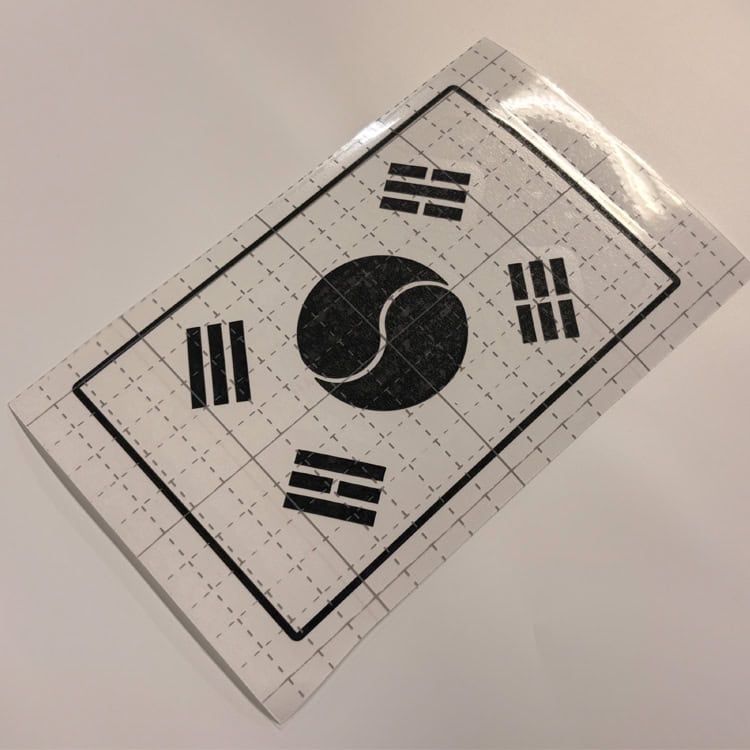
The Korean flag has a correct orientation.
When the Taegeukgi is displayed normally, the three-bar Geon trigram (☰) should be at the upper-left.
This is especially easy to get wrong when you’re making a separate sticker and turning it over while preparing or applying it. Before you stick it down, take a moment to check the direction of the artwork.
It’s a simple thing, but it’s not something I’d want someone to discover after the sticker is already attached.
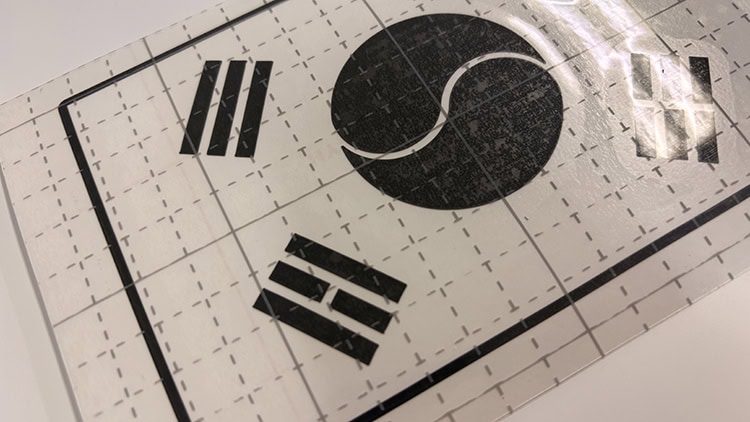
There is another practical issue when making a small sticker. The trigrams around the Taegeukgi contain relatively small sections, and if you reduce the overall design too much, those areas can become difficult to cut and weed.
So if you’re making a small sticker, don’t just look at the overall width. Make sure the smaller details are still large enough for the vinyl and cutting method you’re using.
Why I Think It Works Well on Travel Luggage
I originally had the car application in mind, but after making and sharing the small stickers, I started thinking that travel luggage might actually be one of the better places to use this design.
A Korean flag is easy to recognize, and putting a small one on a suitcase can also make your luggage easier to pick out from a group of similar bags.
I wouldn’t make it excessively large.
For a suitcase or travel case, I’d personally start somewhere around 10–15 cm wide. That gives the flag enough presence to be noticeable without making it look oversized.
If you have a spare piece of vinyl, making one at around 10 cm first is probably the easiest way to see whether you like the size.
The Advantage of Making It as a Vector
This file isn’t tied to one particular sticker size.
Because the artwork is vector-based, you can open it in Adobe Illustrator or compatible CAD software and change the dimensions before cutting.
That makes it useful for different projects. You might want a small version for a suitcase, a slightly different size for a car window, or another size for a toolbox or other personal item.
You don’t need to redraw the flag every time you want a different size. Just adjust the vector and prepare it for your material.
The available files are AI, DXF, and SVG, so you can choose whichever format works best with your software or cutting workflow.
If You’re Going to Make One, Start Small
I’d recommend making a small test version before committing to a larger sticker.
For this design, 10–15 cm wide is a good starting point in my opinion. Going much larger isn’t necessarily better, especially if the purpose is to use it as a small accent on a suitcase or vehicle.
If you’re using a vinyl cutter, also pay attention to the smaller sections of the four trigrams. Those details need enough room to cut and weed cleanly.
And, of course, check the orientation before applying it.
Download the Vector
I’ve decided to make this Korean flag artwork available as a free download.
If you want to try making your own sticker, feel free to take the files and adjust the size for your project.
[ Download Korean Flag Vector (.AI) ]
[ Download Korean Flag Vector (.DXF) ]
[ Download Korean Flag Vector (.SVG) ]
There is no PDF version for this design. I’m keeping the downloadable formats to AI, DXF, and SVG.
A Small Request About the Free Files
The files are provided for personal, non-commercial use.
You can download the vector, resize it, and make something for yourself. You can also use it on your own car, suitcase, or other personal belongings.
Please don’t sell the vector files or use this artwork to produce stickers, decals, or other products for sale.
If you want to use the design commercially, please contact me first for permission.
About This Design
This Korean flag artwork was created independently as a vector design for personal DIY applications such as vehicles and travel luggage.
It is not an official product, and this website is not affiliated with or endorsed by any government agency or other organization.
💡 Looking for More Vector Files?
👉 Star of David Free Vector Template
👉 OFF ROAD Free Vector Template
👉 iPhone Status Bar Decal Free Vector
※ LICENSE & TERMS OF USE
- Personal Use Only: This vector file is provided strictly for personal DIY projects and non-commercial purposes.
- Modification Allowed: You are free to edit, resize, or modify this file for your own personal use.
- No Commercial Sale: Mass production, selling physical items made with this file, or any commercial exploitation is strictly prohibited.
- No Redistribution: You may not re-upload, share, or resell the digital files (SVG/AI) on any other platform.
DISCLAIMER
This file is provided "AS IS" without warranties of any kind. DVG (Detail Vector Garage) assumes no responsibility or liability for any trademark, copyright, or legal issues arising from the use of this file.